Every household and workplace eventually accumulates a drawer of dead phones, tangled chargers, and laptops that no longer hold a charge. Throwing them in the trash feels easy, but it is the worst thing you can do with them. Electronics recycling exists precisely because these devices contain a mix of valuable materials and hazardous substances that need careful handling. This guide walks through how to recycle electronics responsibly, where to take them, and what actually happens to your old gear once it leaves your hands.
Why Electronics Recycling Matters
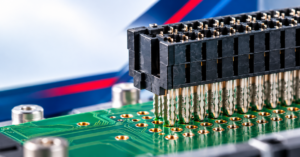
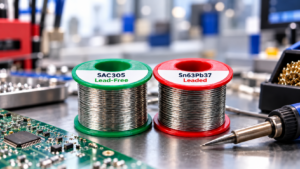
Old devices are not just clutter. A single circuit board can contain gold, silver, copper, palladium, and rare earth elements, alongside lead, mercury, cadmium, and flame retardants that are dangerous if they leach into soil and groundwater. When electronics end up in a landfill, those toxic components break down slowly and contaminate the surrounding environment. Proper electronic waste and disposal keeps these materials out of the ground and recovers the valuable metals so they can re-enter the supply chain instead of being mined again.
There is also a sheer-volume problem. Electronic waste is one of the fastest-growing categories of trash worldwide, driven by short upgrade cycles and devices that are increasingly difficult to repair. Recycling slows that growth, reduces the demand for virgin raw materials, and cuts the energy footprint of manufacturing new products. For businesses, responsible recycling is often a compliance requirement as well, since many regions regulate how commercial e-waste must be handled and documented.
How to Recycle Electronics Step by Step
Knowing how to recycle electronics is less complicated than most people assume once you break it into a few clear steps. The goal is to protect your data, sort your devices, and get them to a facility that handles them correctly.
1. Back Up and Wipe Your Data
Before anything leaves your home or office, remove every trace of personal information. Back up photos, documents, and account data, then perform a full factory reset on phones and tablets. For computers, a simple delete is not enough; use disk-wiping software or physically remove and destroy the drive if the device holds sensitive records. Data security is the single most overlooked step in the recycling process, and it is the one you cannot undo after the device is gone.
2. Sort Devices by Type
Separate your items into broad groups: small electronics like phones and cables, larger items like monitors and printers, and batteries, which almost always require separate handling. Lithium-ion batteries in particular should never go in with general waste because they can ignite when crushed. Sorting in advance makes drop-off faster and helps recyclers route each item to the correct process.
3. Decide Between Reuse and Recycling
Not every old device needs to be shredded. Working equipment can be donated, resold, or refurbished, which extends its useful life and keeps it out of the recycling stream entirely. Reserve recycling for devices that are genuinely at the end of their life. If a laptop still boots and a phone still powers on, consider passing it along before deciding to recycle it.
Where to Recycle Old Electronics
Once your devices are wiped and sorted, the next question is where to recycle old electronics in a way that is convenient and trustworthy. You have more options than you might think, and several of them are free.
Retail take-back programs are the most accessible route for most people. Large electronics chains run in-store collection bins, and Best Buy electronics recycling is one of the most widely used examples, accepting a long list of household devices at thousands of locations. Office-supply retailers and phone carriers run similar programs for smaller items and accessories. These are ideal when you have just a handful of devices and want a quick, no-cost option.
Municipal and county programs are the next layer. Many local governments host household hazardous waste days or maintain permanent drop-off centers where residents can bring electronics, batteries, and bulbs. Searching for electronic recycling near me or electronics recycling near me will usually surface both these public programs and private certified recyclers in your area. When you find a private recycler, look for one that carries a recognized certification, which signals that the company follows audited environmental and data-security standards rather than simply exporting waste overseas.
For larger quantities, such as a business clearing out old workstations, a dedicated IT asset disposition vendor is the better fit. These companies pick up equipment in bulk, provide certificates of data destruction, and issue documentation that proves your electronic waste and disposal was handled in compliance with regulations.
What Happens After You Drop Off Your Electronics
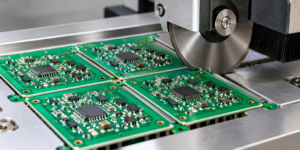
Understanding the back end of electronics recycling makes it easier to trust the process. After collection, devices are typically sorted again by trained staff. Anything that can be refurbished is set aside for testing and resale. The rest moves to disassembly, where batteries, circuit boards, plastics, and metals are separated.
From there, materials are processed through mechanical shredding and separation techniques that pull apart ferrous metals, non-ferrous metals, and plastics. Specialized smelting and chemical recovery then extract the precious metals from circuit boards. The recovered copper, aluminum, gold, and steel are sold back to manufacturers as raw feedstock, closing the loop. Done properly, very little of a recycled device actually ends up in a landfill.
Recycling for Businesses and Bulk Quantities
Households are not the only ones generating e-waste. Offices retire fleets of computers, monitors, phones, and networking gear on a regular cycle, and handling that volume responsibly is both a legal and a reputational matter. For businesses, the stakes around data are far higher, since a single discarded drive can expose customer records, financial data, or proprietary information. This is why commercial recycling almost always involves certified data destruction with documented proof.
When clearing out a quantity of equipment, look for a recycler that provides a certificate of recycling and a certificate of data destruction for every batch. These documents create an audit trail showing that your electronic waste and disposal met regulatory requirements and that no recoverable data left your control. Many providers will also handle on-site pickup, which removes the logistics burden from your team. If your organization upgrades equipment frequently, establishing an ongoing relationship with a single certified vendor is far more reliable than scrambling for a one-off solution each time.
Common Mistakes to Avoid
The biggest mistake is treating all electronics as ordinary trash. Curbside bins are not equipped for the hazardous materials inside devices, and in many places it is illegal to dispose of electronics this way. A second common error is forgetting about data; people hand over phones and laptops without wiping them, exposing themselves to identity theft. A third is mixing batteries into general recycling, which creates a genuine fire risk during transport and processing.
Another frequent oversight is assuming a device is worthless when it could still be reused. Functional equipment thrown into a shredder represents lost value and unnecessary waste, so always check whether a device can be donated or resold before recycling it. Finally, avoid recyclers that cannot explain where your material goes. A reputable operation will tell you how it handles data, what certifications it holds, and how it processes the materials it collects. If a company is vague about these details, choose a different one.
Donating vs. Recycling: Making the Right Call
Recycling should be the last resort, not the first, for any device that still works. A laptop that boots, a phone that powers on, or a monitor that displays cleanly can serve someone else for years. Schools, nonprofits, refurbishment programs, and community organizations frequently accept working electronics, and donating extends a device’s useful life far beyond what recycling its raw materials would achieve. From an environmental standpoint, reuse beats recycling every time, because it avoids both the manufacture of a replacement and the energy spent reclaiming materials.
The decision comes down to function. If a device works or needs only a minor, inexpensive fix, lean toward donation or resale. If it is genuinely broken beyond economical repair, recycling is the responsible end of its life. Either way, the same data-wiping rules apply: never hand a device to anyone, donor or recycler, without first removing every trace of your personal information. Making this assessment a routine part of your cleanout ensures that good equipment finds a second home and only truly dead devices enter the recycling stream.
Building Recycling Into a Habit
Responsible electronics recycling is easiest when it is routine rather than a once-a-decade cleanout. Keep a small box for dead cables and accessories, set a calendar reminder to drop them off a couple of times a year, and check whether your employer or building offers a collection point. The less these devices pile up, the easier it is to handle them the right way.
Old electronics carry real value and real risk in equal measure. By wiping your data, sorting your devices, and using a trustworthy program—whether that is a retail bin, a local drop-off, or a certified recycler—you turn a drawer full of dead gadgets into recovered materials and a smaller environmental footprint. That is the entire point of recycling done well.